GeoDirectory Options – Setup Tutorials
1. Geo Directory Options
More point and click options for GeoDirectory. Show profile tabs by listing owner or non-listing owner. Users can choose any category they want to display.
-
This section introduces additional customization options in GeoDirectory.
-
You can display profile tabs depending on whether the user is a listing owner or not.
-
Users are also able to select any category they wish to display.
2. Required Plugin
Both plugins are required to use GeoDirectory Options correctly. Ensure that these plugins are installed and activated before proceeding with setup.
-
wpapps Press
-
wpapps GeoDirectory Options
3. Basic Setup
Normally, the first category chosen is set as the default category, and then the user can change that.
With this option enabled, the first subcategory’s parent category will be automatically set as the default category when the listing is saved.
4. Enable Force Parent Category Selection?
To enable the advanced fieldset feature:
-
Go to your WordPress dashboard.
-
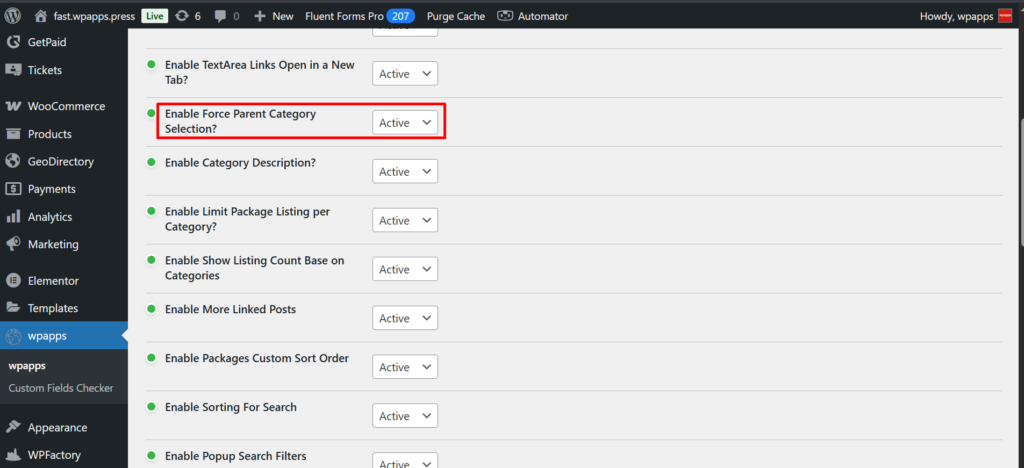
Navigate to wpapps → geodirectory → Enable Force Parent Category Selection?
-
Activate the toggle to Enable Force Parent Category Selection?.
- Go to Add Listing.
5. Add/Edit Listing – Before
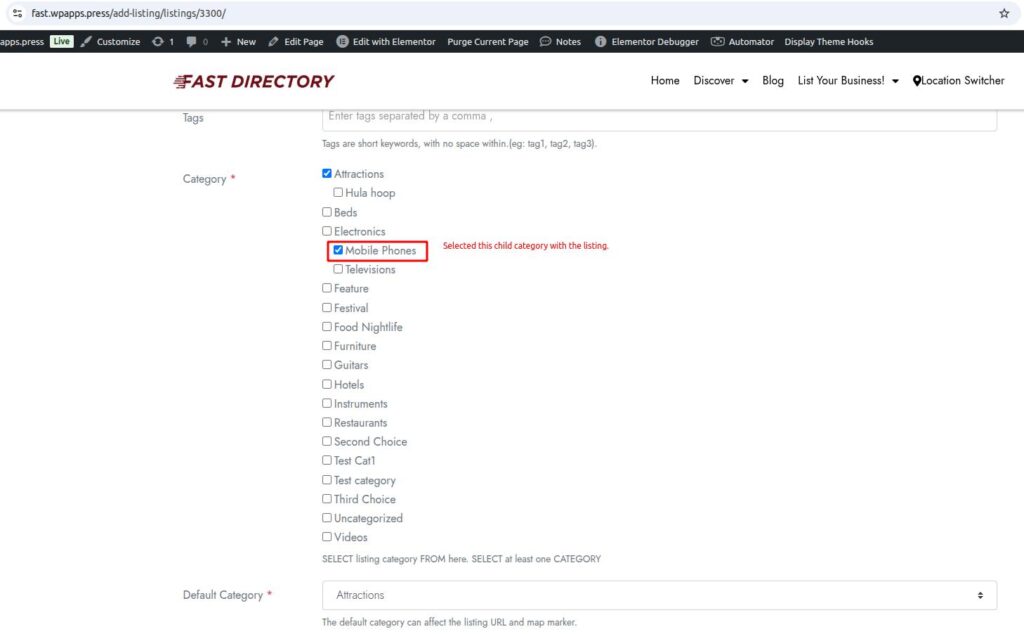
- Before enabling Force Parent Category Selection, when selecting a child category, the parent category is not automatically selected.
6. Add/Edit Listing – After
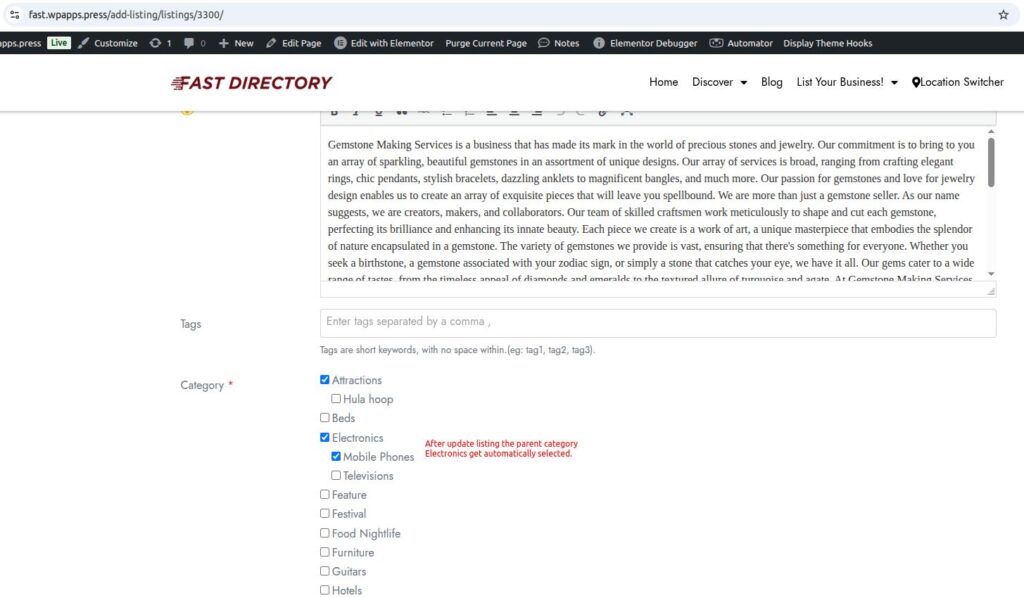
- After enabling Force Parent Category Selection, when selecting a child category, the parent category is automatically selected.