GeoDirectory Options – Setup Tutorials
1. Geo Directory Options
More point and click options for GeoDirectory. Show profile tabs by listing owner or non-listing owner. Users can choose any category they want to display.
-
This section introduces additional customization options in GeoDirectory.
-
You can display profile tabs depending on whether the user is a listing owner or not.
-
Users are also able to select any category they wish to display.
2. Required Plugin
Both plugins are required to use GeoDirectory Options correctly. Ensure that these plugins are installed and activated before proceeding with setup.
-
wpapps Press
-
wpapps GeoDirectory Options
3. Basic Setup
The “Display Expired Listings” feature is designed to give site administrators full visibility and control over their listings, including those that have passed their expiration date.
By enabling this option, you can easily identify expired listings, manage them efficiently, and make informed decisions about whether to renew, edit, or remove them.
For visitors, it provides transparency by showing which listings are no longer active, allowing them to see the history of past offerings or services. This feature also ensures that your listing widgets remain accurate and comprehensive, as both active and expired listings can be displayed according to your preferences.
Ultimately, it helps maintain the integrity of your directory, improves administrative workflow, and enhances user experience by clearly distinguishing active content from outdated listings.
4. Enable Display Expired Listings on GD Listing Widget?
- Go to wpapps → GeoDirectory → Enable Display Expired Listings on GD Listing Widget? and turn it on.
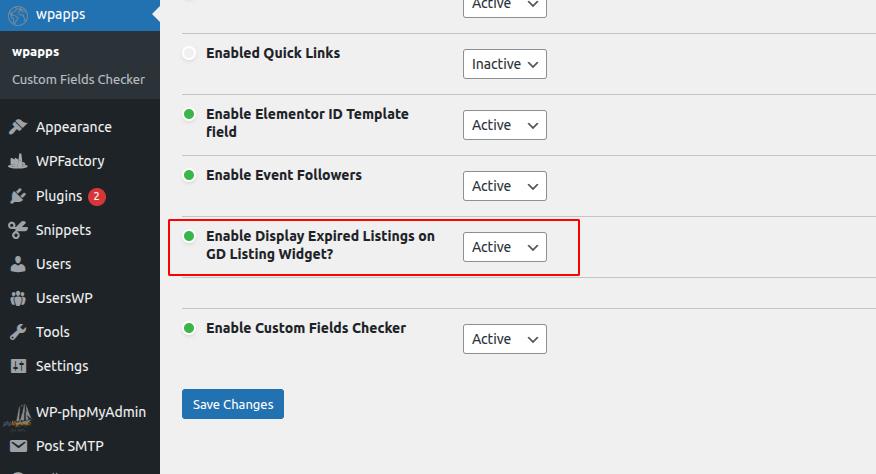
5. After Enable Display Expired Listings on GD Listing Widget?
-
After enabling this option, you will see an “Expired” notification on any listings that have passed their expiration date in the Post Type → Listings admin area.
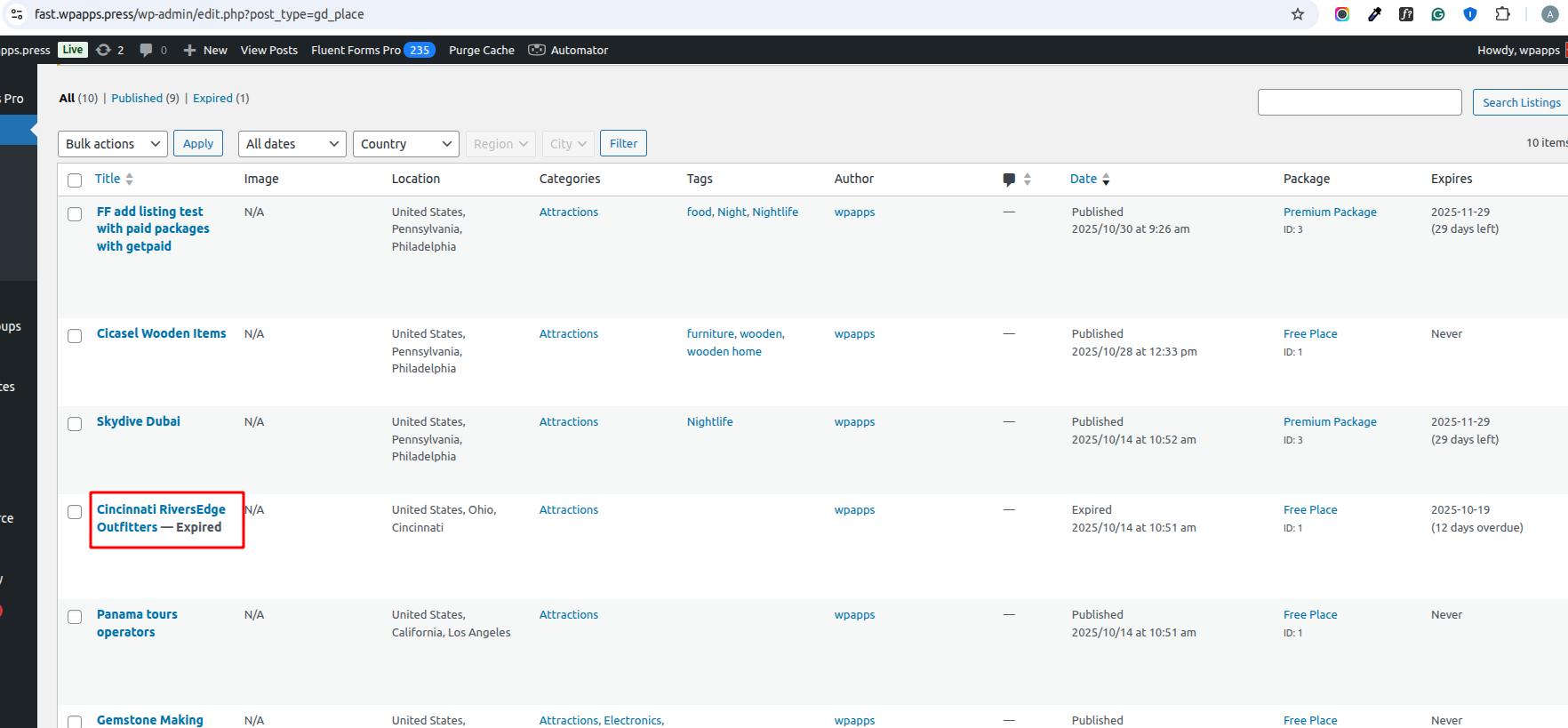
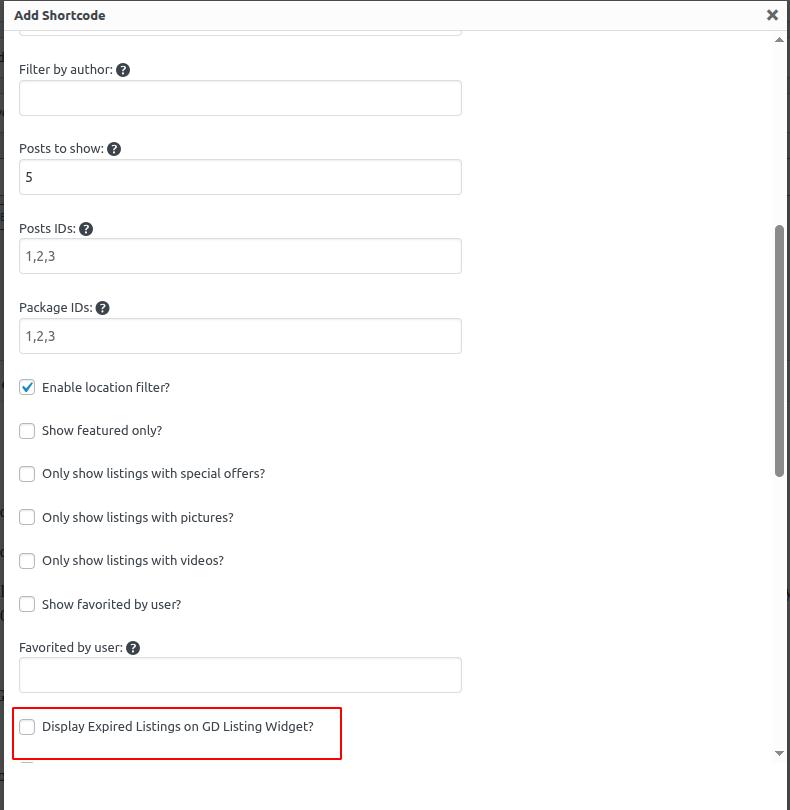
6. If you are adding a GD Listing widget inside the editor (Elementor or Block Editor)
- Turning this on will allow the widget to show both active and expired listings.
- You must also enable the setting: “Display Expired Listings on GD Listing Widget.
7.After enabling Display Expired Listings on GD Listing Widget
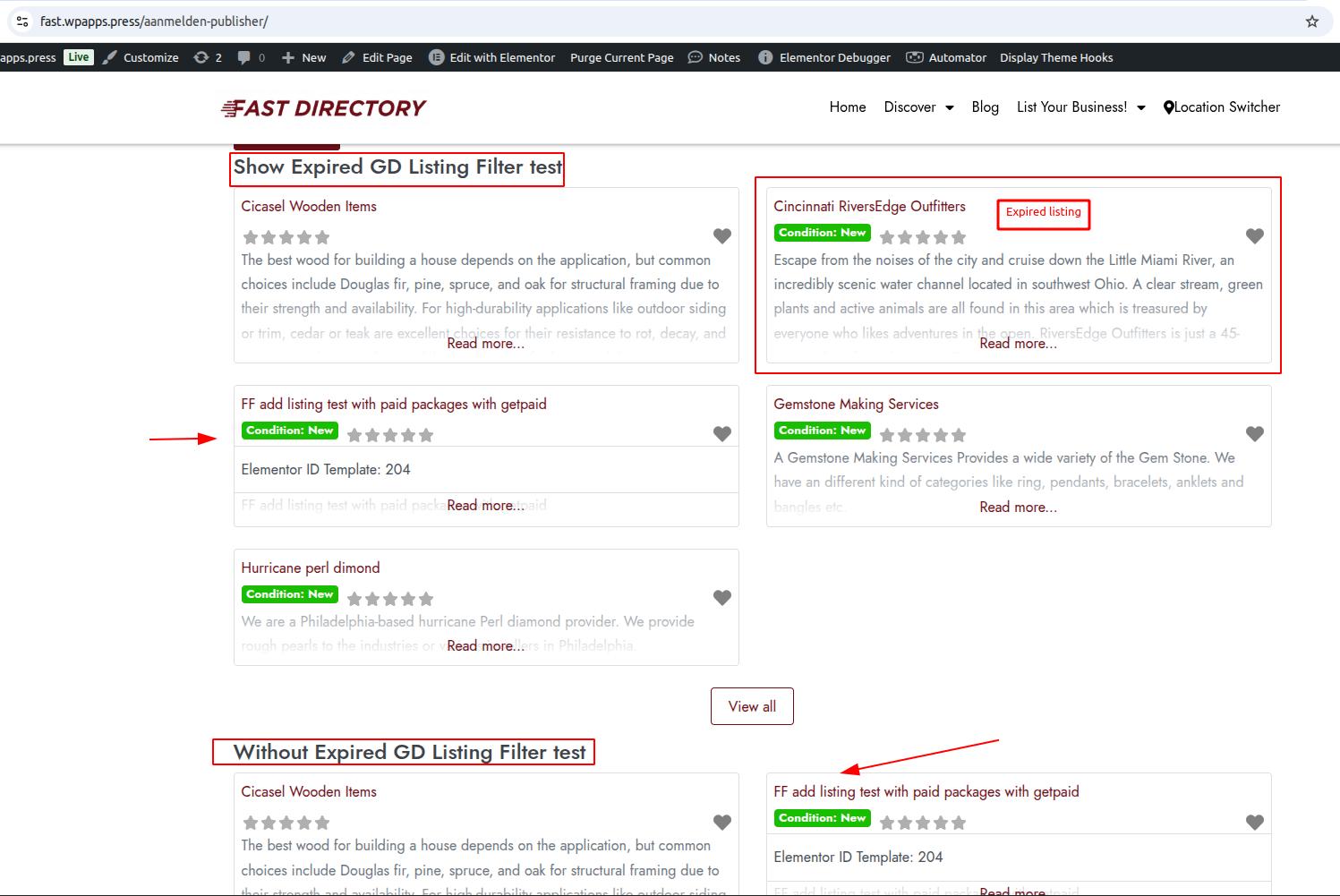
- Expired listings will clearly show an Expired badge/notice.
- You will be able to identify which listings are expired and which are active.
- The GD Listing widget will display expired listings according to your configuration.
- You can compare the difference between expired and non-expired listings as shown in the example images.